
Journal - From Me is built around the physical clarity of a page. On iPad, Apple Pencil lets your journal remain handwritten—complete with your spacing, pressure, corrections, underlines, and the marks that make a page feel like yours.
Handwriting that stays handwriting
You do not have to convert every line into typed text or write inside a small input field. Open a page and write directly on it. The lined-paper surface keeps the experience familiar while the digital format makes it easier to keep, revisit, and customize.
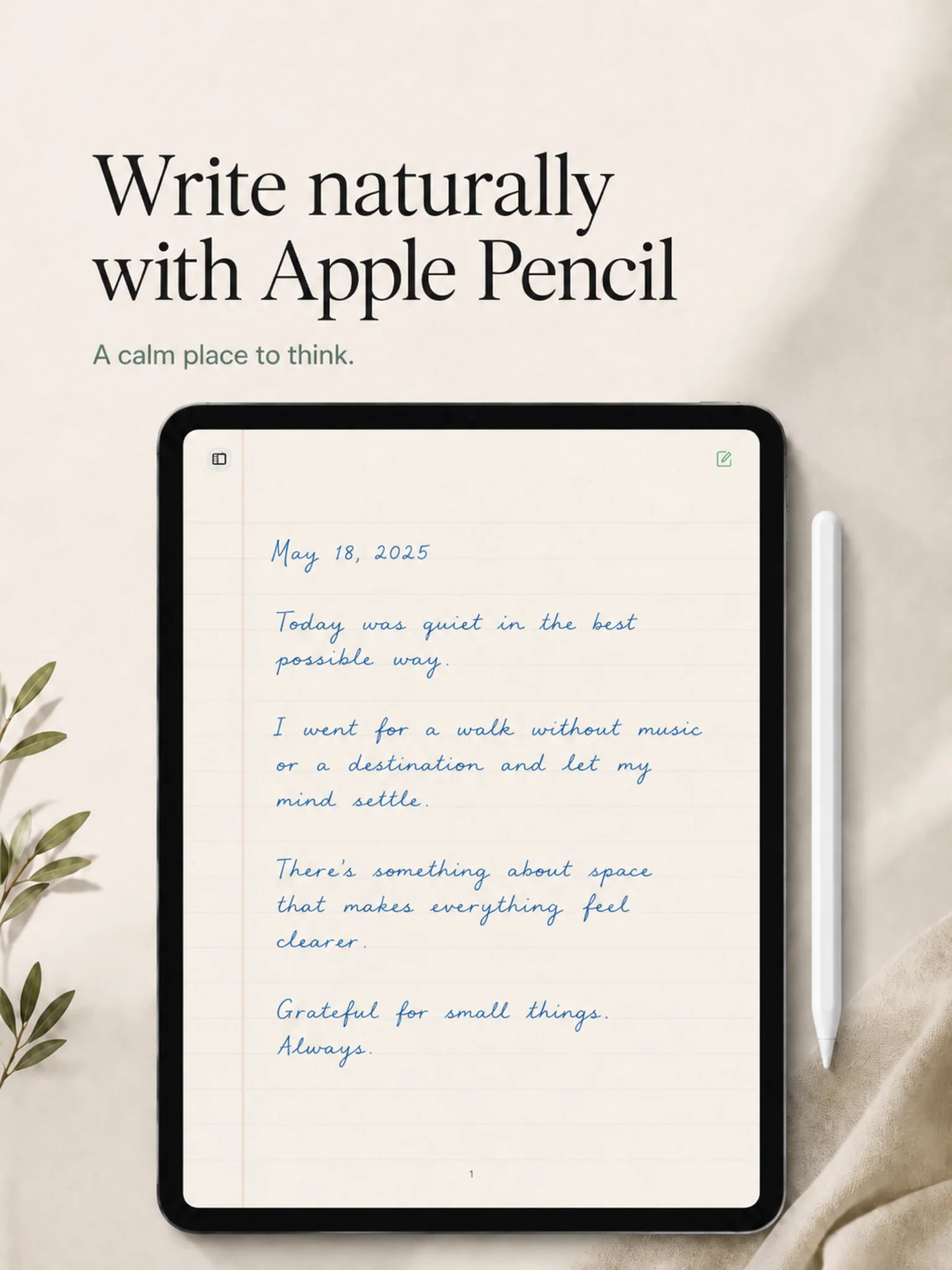
Use Apple Pencil with guided journaling
Choose one of five daily guided prompts and let the answer become a handwritten page. The prompt remains available as context, but it does not limit the length or direction of your response.
Yesterday Through You works the same way: choose one of seven prompts based on the previous day’s stories, then write the personal reflection by hand.
Handwrite or switch to typing
Some thoughts move better through handwriting. Others need the speed of a keyboard. Journal - From Me supports both, so the writing method can follow the entry rather than define the entire app.
Custom paper, lines, and ink
Change the page color, line color, and ink color. Build a traditional paper-and-blue-ink journal, a dark page with brighter writing, or a quieter palette that reduces visual strain.
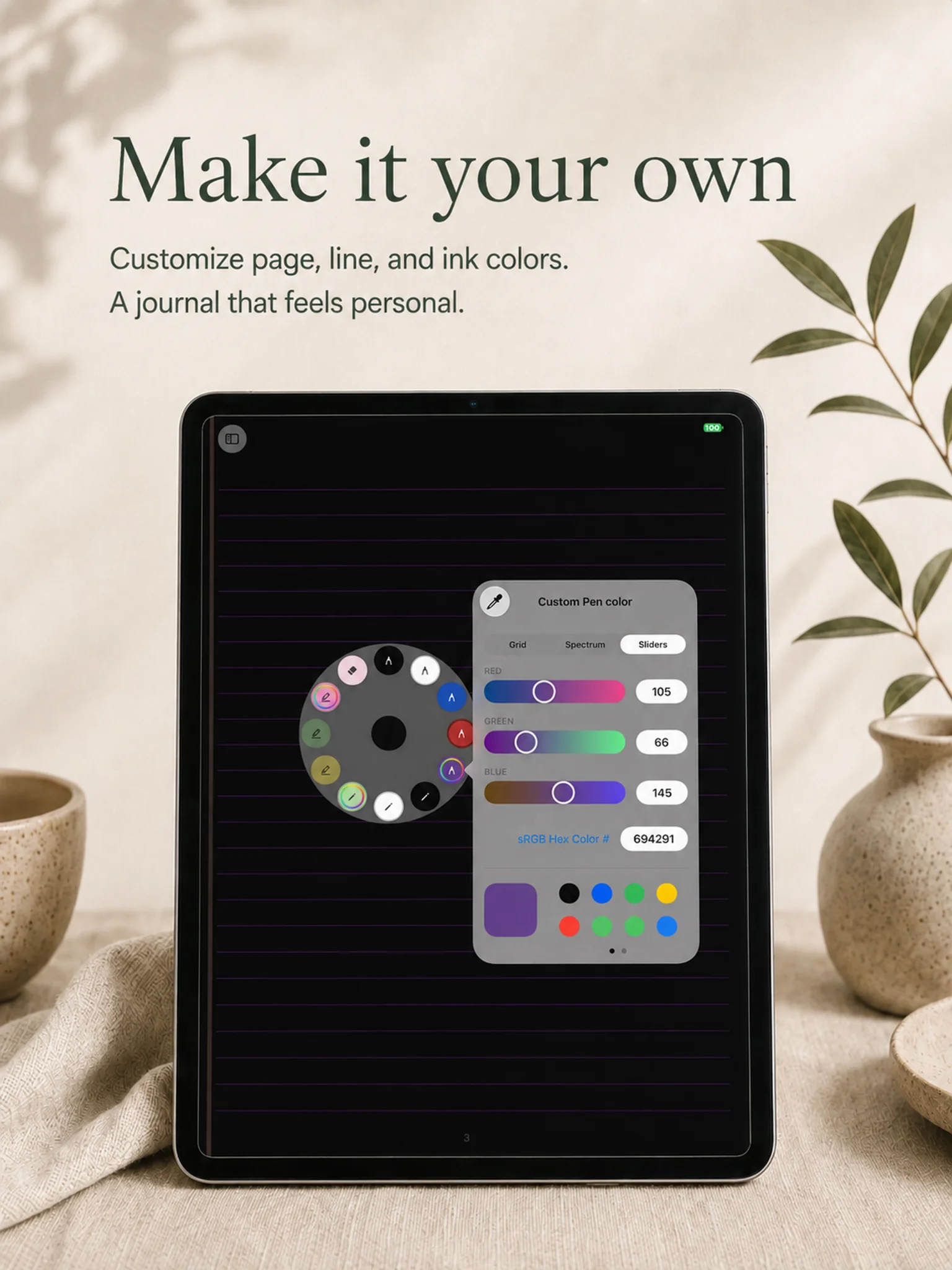
A private iPad journal
Journal - From Me does not add public profiles, sharing metrics, or a social feed to your handwritten pages. No separate app account is required to begin. Your writing stays on your devices and, if you enable it, your private iCloud storage.
Continue on iPhone
Use the iPad when you want the full page and Apple Pencil. Use iPhone when you need to type a quick note, respond to a prompt, or return to your writing away from the desk.